
FREE RESOURCE · THE BLYNX TYPE CHART
Pick the right Blynx
for the job.
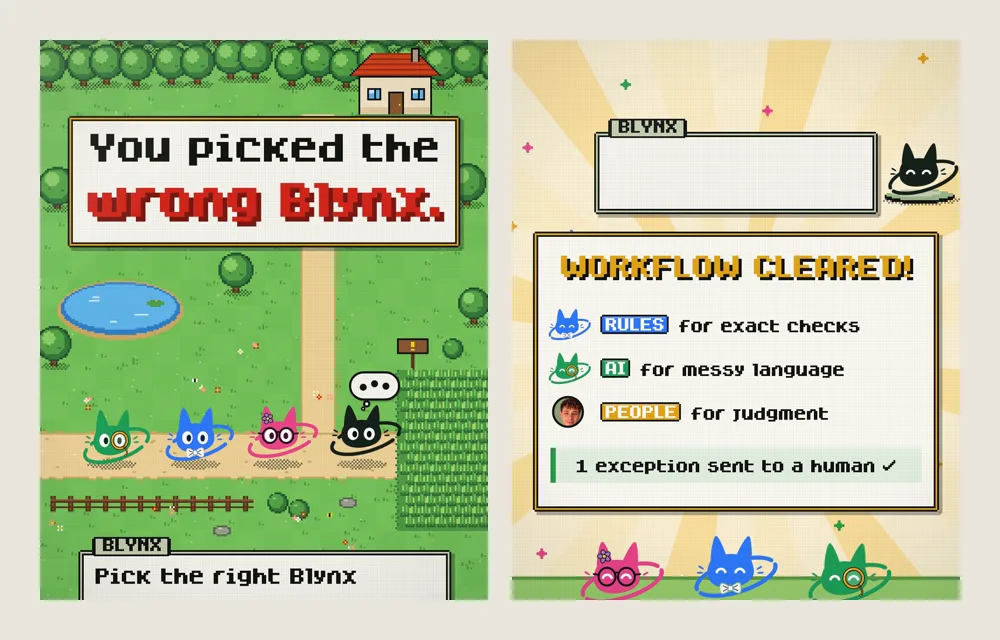
Every task has a type. Rules for exact checks, AI for messy language, a person for judgment calls. Here’s the type chart from “You picked the wrong Blynx”, with ten everyday tasks sorted.
THE TYPE CHART
Three types.
One question each.
Ask the question on each card. The first one you can answer “yes” to is usually the right type.
RULES
Rules for exact checks
Can you write the condition down exactly, so two people would always agree?
- Strong against
- Exact matches, formats, dates, amounts and known options. The same input gets the same answer every time.
- Weak against
- Free text, and anything nobody wrote a rule for.
- In the video
- DUPLICATE SHIELD looks up the email before creating a record, and three copies of one lead become one.
AI
AI for messy language
Is the input in people’s own words, and do you need facts or intent pulled out of it?
- Strong against
- Reading emails, chats, notes and documents; pulling out fields; sorting by topic; drafting a reply.
- Weak against
- Exact checks it should look up instead of guess, and decisions someone should be accountable for.
- In the video
- EXTRACT turns “hi i ordered the blue one last week?? #4417 wrong size can i swap” into order #4417, intent: exchange, item: blue, size wrong. Then SOURCE CHECK looks up order #4417 to confirm it.
PEOPLE
People for judgment
Does the answer depend on context, fairness, money or a relationship, so someone should own the call?
- Strong against
- Disputes, exceptions to policy, upset customers, and anything you would want to explain later.
- Weak against
- Volume. That’s why rules and AI prepare the case before it reaches a person.
- In the video
- The REFUND DISPUTE: “This is the third time. I want my money back.” The facts are gathered first, then a person approves the next step.
WRONG PICKS
What happens with
the wrong type.
AI on an exact problem
In the video, AUTO-CREATE made a new record for a lead that already existed, and two copies became three. Spotting a duplicate is a lookup, not a judgment.
Use a rule.
A rule on messy language
MATCH RULE needs a known format. “can i swap” isn’t one, so it missed.
Use AI to read it, then a rule to check what it found.
Anything automatic on a judgment call
An automatic yes or no to an upset repeat customer is fast, but nobody owns the decision.
Gather the facts automatically, then hand it to a person.
10 TASKS, SORTED
Ten everyday tasks,
sorted by type.
Most workflows mix all three types. The type is about who should make each decision.
- 01Stop duplicate leads when the email is already in your CRMRULES
An exact match on the email address.
- 02Route an inquiry by the service picked on the formRULES
A known field with known options. Add a catch-all backup: see the Lead Leak Checklist.
- 03Remind customers about invoices past their due dateRULES
A date and a status. Re-check the status right before it sends: see re-check before send.
- 04Check that a phone number, postcode or order number is in the right formatRULES
The format can be written down exactly.
- 05Pull the order number and request out of a customer emailAI
Messy language in, clean fields out. Then a rule looks the order up.
- 06Sort incoming messages by topic: shipping, returns, billingAI
People describe the same problem in different words.
- 07Summarize a long email thread or call notes for whoever picks it up nextAI
Reading and condensing language.
- 08Draft a reply to a customer questionAI+PEOPLE
AI drafts from facts you have approved; a person approves before it is sent.
- 09Decide a refund disputePEOPLE
Money, history and fairness. Rules and AI gather the facts first.
- 10Make an exception to your policy: a late return, a discount, a deadlinePEOPLE
Someone should own the call and be able to explain it.
THE HANDOFF
Hand off with evidence
and a proposed next action.
When a task needs a person, don’t just forward it. Send the decision ready to make: what was asked, what has been checked and what you suggest. The person approves, edits or says no, and nothing happens until they do.
NEEDS A DECISION Refund dispute
“This is the third time. I want my money back.”
EVIDENCE
- Order history checked ✓
- 2 prior issues
PROPOSED NEXT ACTION
Full refund + note
What a good handoff includes
- The ask in one line, with the original message underneath.
- Evidence: the facts already gathered and checked against your records, each with where it came from.
- A proposed next action the person can approve as it is.
- The choices: approve, edit or reject. Nothing is sent or refunded until they choose.
- A record of the decision, so you can see later who decided what, and why.
HANDOFF TEMPLATE

NEEDS A DECISION: [type of case]
ASKED: "[the customer's own words]"

EVIDENCE
  ✓ [fact] (checked in [where])
  ✓ [fact] (checked in [where])

PROPOSED NEXT ACTION: [your suggestion]

CHOOSE: approve / edit / reject
Nothing happens until a person chooses.